
When to Build an Admin Panel—and What It Should Include
Define the operational controls needed to manage users, content, billing, risk, and support safely. Read a practical framework from CodersDive.
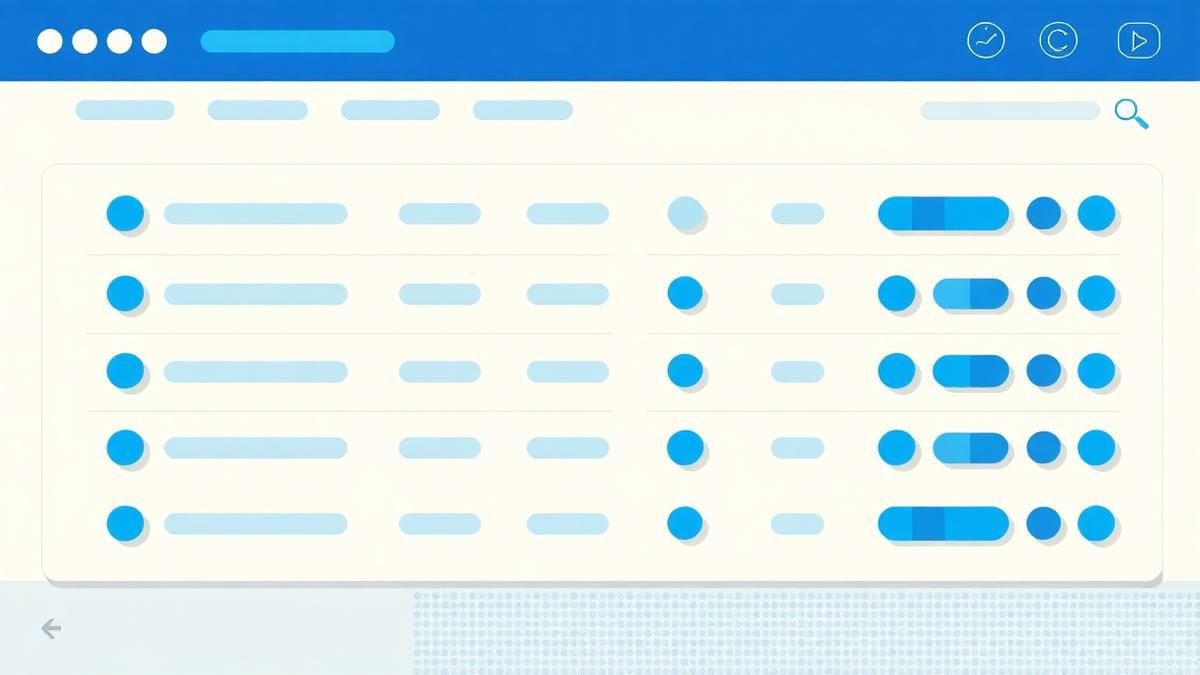
When to Build an Admin Panel---and What It Should Include is not mainly a technology question. It is a decision about acquisition quality, activation, recurring value, retention, and economics. Teams get into trouble when they select a tool or feature before agreeing on the business behavior that needs to change. Define the operational controls needed to manage users, content, billing, risk, and support safely.
Start with the decision, not the tool
The useful starting point is to describe the current situation in plain language. Who is trying to do what? What slows them down? What information do they need? What happens when the normal path breaks? A good answer exposes the real constraint. It may be missing context, weak trust, unclear ownership, inconsistent data, or an experience that asks too much before delivering value.
Define the outcome in observable terms
Then translate the problem into a measurable product or operational outcome. Avoid goals such as "use AI," "modernize," or "improve the UX." Prefer a statement such as: reduce the time required to complete a task, increase the percentage of users reaching a meaningful milestone, lower preventable errors, or give operators reliable visibility into exceptions. A concrete outcome gives the team a way to compare options and say no to attractive distractions.
A practical framework
A practical framework is:
- 1Choose the behavior that represents value
- 1Segment users by intent and fit
- 1Remove time-to-value friction
- 1Measure cohorts instead of averages
- 1Connect product changes to commercial outcomes
The failure mode to watch
The most common failure is treating the visible interface as the whole solution. In reality, the result depends on the surrounding system: data quality, permissions, integrations, ownership, support, analytics, and the behavior of people who must adopt it. A polished screen cannot compensate for a workflow that remains unclear or a system nobody trusts.
Protect the learning in the first release
For a first release, protect the learning objective. Build only enough to test the central assumption with realistic users and operating conditions. Define what success, failure, and "needs another iteration" look like before launch. That makes the project a controlled decision rather than an expensive act of optimism.
Final thought
The right answer to when to build an admin panel---and what it should include is rarely a universal best practice. It is the approach that fits the product stage, risk, users, operating model, and evidence available now. CodersDive helps teams turn that context into a focused plan, a credible release, and a system they can continue to own.
focused discovery or product engineering engagement.
Once the core proof of concept is validated, the transition from manipulating production databases via SQL to dedicated internal interfaces becomes a matter of security and operational velocity. Moving beyond a basic CRUD interface requires a shift toward risk management and business observability.
The Operational Risk Threshold: Moving Beyond Direct DB Access
Every hour a senior engineer spends manually updating a user’s subscription status or correcting a typo in a database row is a high-cost failure of internal tooling. While direct database access is sufficient for the first ten customers, it introduces two critical risks: lack of auditability and accidental data corruption. An admin panel is not just a UI for the database; it is a governance layer.
When building the panel, the first priority is an immutable audit trail. Every change—who made it, what the previous value was, and when it happened—must be logged. This is particularly vital for B2B SaaS entering the Enterprise space, where SOC2 compliance requires strict separation of duties.
Signals that your risk threshold has been crossed: * Non-technical staff are requesting "quick fixes" that require engineering intervention more than three times a week. * The engineering team cannot identify which team member performed a specific manual data update. * Support tickets are stalling because the success team lacks the visibility to see exactly what a user sees.
Defining the "Minimum Viable Admin" (MVA) Framework
Over-engineering an admin panel can drain resources from the core product. To avoid this, teams should prioritize "Read-Heavy" features over "Write-Heavy" features in the first iteration. Visibility into user state often solves 80% of support issues, whereas the ability to edit that state introduces 80% of the complexity (validation logic, state synchronization, and permissions).
The MVA Construction Checklist: 1. Impersonation (Shadowing): The ability for support to log in as the user to reproduce a bug without requesting credentials. 2. Toggle Management: A central location to enable or disable feature flags for specific accounts without a code deploy. 3. State Observation: A unified view of a customer’s health—subscription status, last login, and current usage metrics (e.g., seats occupied vs. seats paid). 4. Transaction Reversal: Standardized logic to handle refunds or crédit adjustments that bypasses manual Stripe dashboard logging. 5. Soft-Delete Capability: Instead of hard-deleting records, the admin panel should allow for "deactivating" entities to prevent irreversible data loss.
The Trade-off: External Frameworks vs. Custom Internal Tools
The "build vs. buy" debate for admin panels centers on how heavily the internal logic mirrors the core application logic. If your product involves complex state machines—such as a logistics platform moving a shipment through various legal statuses—a generic, low-code admin tool may fall short because it cannot easily trigger the necessary side effects (e.g., sending emails, updating third-party APIs).
If the admin panel only needs to perform standard CRUD operations on a Postgres or MongoDB instance, an off-the-shelf framework is usually the correct choice. However, if the business requires high-touch operational workflows, a custom-built React or Vue-based internal dashboard is necessary.
Decision Criteria for Custom Development: * Workflow Complexity: Must the admin panel trigger complex background jobs (like data exports or mass migrations) that are already defined in your backend? * Security Requirements: Does your industry (FinTech/HealthTech) mandate that data never leaves your VPC to be processed by a third-party low-code vendor? * Longevity: Will the internal tool eventually become a customer-facing "Manager" portal? If so, building on your own stack from the start prevents a complete rewrite later.
Frequently asked questions
Should the admin panel be part of the main application repository? Ideally, no. Keeping the admin panel as a separate micro-frontend or a decoupled repository ensures that vulnerabilities in the internal tool do not directly expose the client-facing application. It also allows for independent deployment cycles, meaning an admin UI update won't require a full rebuild of the production user experience.
How should permissions be managed for internal staff? Use Role-Based Access Control (RBAC) rather than individual permissions. Define clear tiers like "Support Level 1" (read-only), "Support Level 2" (read and basic edits), and "Operations Lead" (full write access and deletions). This prevents permission creep and makes onboarding new employees significantly safer.
At what point does an admin panel become a bottleneck? An admin panel becomes a bottleneck when it lacks the bulk-action capabilities needed for scale. If an operator has to click through fifty individual user profiles to apply a manual discount, the tool is failing. When manual repetition becomes the primary complaint of the operations team, it is time to invest in batch processing and automation hooks within the panel.
Have a similar decision in front of you? Talk to CodersDive about a focused discovery or product engineering engagement.
Discuss your product SaaS & Growth
Why SaaS Onboarding Fails Before the First Click
Show how positioning, expectations, and handoff shape activation before users enter the product. Read a practical framework from CodersDive.
 SaaS & Growth
Activation Metrics: Find the Moment Users Understand the Value
Define an activation event tied to experienced value rather than account creation. Read a practical framework from CodersDive.
 SaaS & Growth
How to Reduce Churn Without Adding More Features
Focus on expectation fit, onboarding, reliability, support, and recurring outcome delivery. Read a practical framework from CodersDive.